Blinking error message on epson T13 is common when T13 printer lights blinking and the printer can not be operated because the monitor screen shows the counter has reached the limit printing
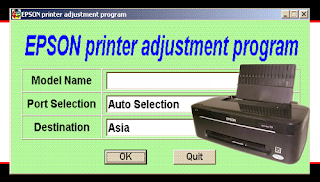
Follow these steps below how to Reset Epson T13 Printers using Epson Adjustment Program
link
Read More..
Follow these steps below how to Reset Epson T13 Printers using Epson Adjustment Program
- Download resetter printer T13
- Run Epson Adjustment Program (AdjProg.exe)
- Click accept and click select
- Specify the printer brand
- At the destination select EPS then click ok
- Select the particular adjustment mode
- Select waste ink pad counter then click ok
- Click the check (counter 7500 printer needs to be reset)
- Check the main pad counter and counter fl Boxes
- Click initialization (to reset the printer counter)
- Finish
- Turn the printer off after 10 minutes then turn the printer
- goog luck...
link


